absolufy-imports
A tool to automatically replace relative imports with absolute ones.

A tool to automatically replace relative imports with absolute ones.
To install packages from this channel, you must first login at the command line:
anaconda loginYou can then use the channel temporarily with conda or add it to your .condarc file for configured ongoing access. Learn more



A tool and pre-commit hook to automatically convert relative imports to absolute.
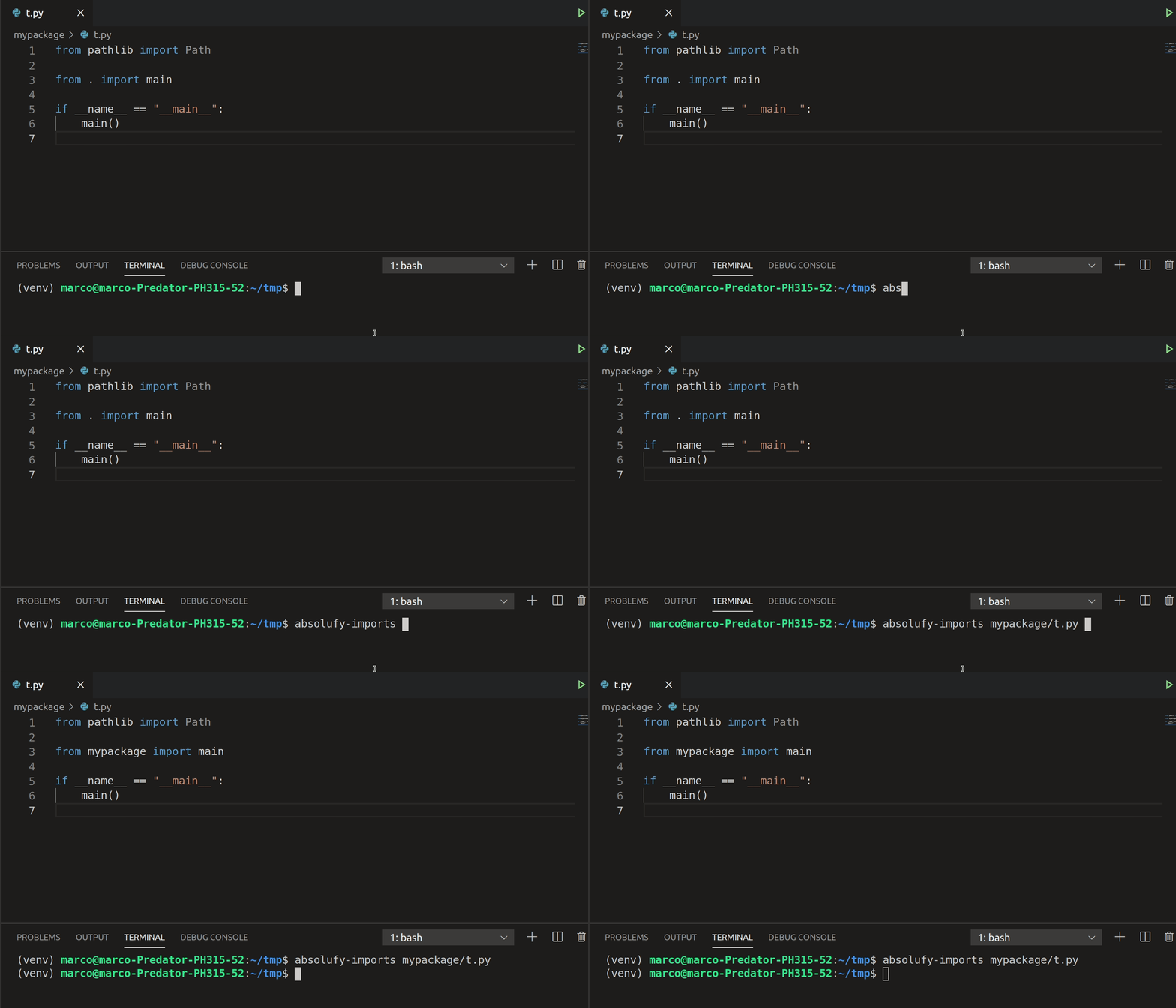
$ pip install absolufy-imports
See pre-commit for instructions
Sample .pre-commit-config.yaml:
-   repo: https://github.com/MarcoGorelli/absolufy-imports
    rev: v0.3.0
    hooks:
    -   id: absolufy-imports
$ absolufy-imports mypackage/myfile.py
- from . import __version__
+ from mypackage import __version__
If your package follows the popular ./src layout, you can pass your application directories via --application-directories, e.g.
$ absolufy-imports src/mypackage/myfile.py --application-directories src
- from . import __version__
+ from mypackage import __version__
Multiple application directories should be colon-separated, e.g. --application-directories .:src. This is the same as in reorder-python-imports.
Use the --never flag, e.g.
$ absolufy-imports mypackage/myfile.py --never
- from mypackage import __version__
+ from . import __version__
Summary
A tool to automatically replace relative imports with absolute ones.
Last Updated
Apr 22, 2026 at 18:19
License
MIT